 Zerk Play
Your media server, finally fun to browse.
Zerk Play is a free Emby and Jellyfin app for your TV and PC. It helps you find something to watch, requests what's missing and plays trailers while you browse. Running a server for family and friends? The Zerk Play Dashboard sets it up for all of them at once.
A free app, and a dashboard if you run the server
Everyone watches with the app. The dashboard is a separate, paid tool for the person who runs the Emby or Jellyfin server.
Zerk Play
Free · open sourceThe app for Windows, Android TV and Linux. Sign in to any Emby or Jellyfin server and set the rest up on the device itself, or from your phone by scanning a QR code.
- Discovery-first home, tags and More like this
- Seerr requests, with your Seerr address and key
- Trailers, ratings, live TV and your language
- HDR, passthrough, remote and gamepad control
Zerk Play Dashboard
From $5 a month · 7 days freeFor server owners. Set your server up once on the web, then give each person a sync code: they type it into the app with their own username and password, and everything is ready.
- Sync codes instead of handing out addresses and API keys
- Watch together, profiles and My list for your users
- Requests without putting your Seerr key on anyone's device
- Server admin for Emby and Jellyfin, in the same place
Everything you need to watch, at no cost
All of this works in the free app, with any Emby or Jellyfin server.
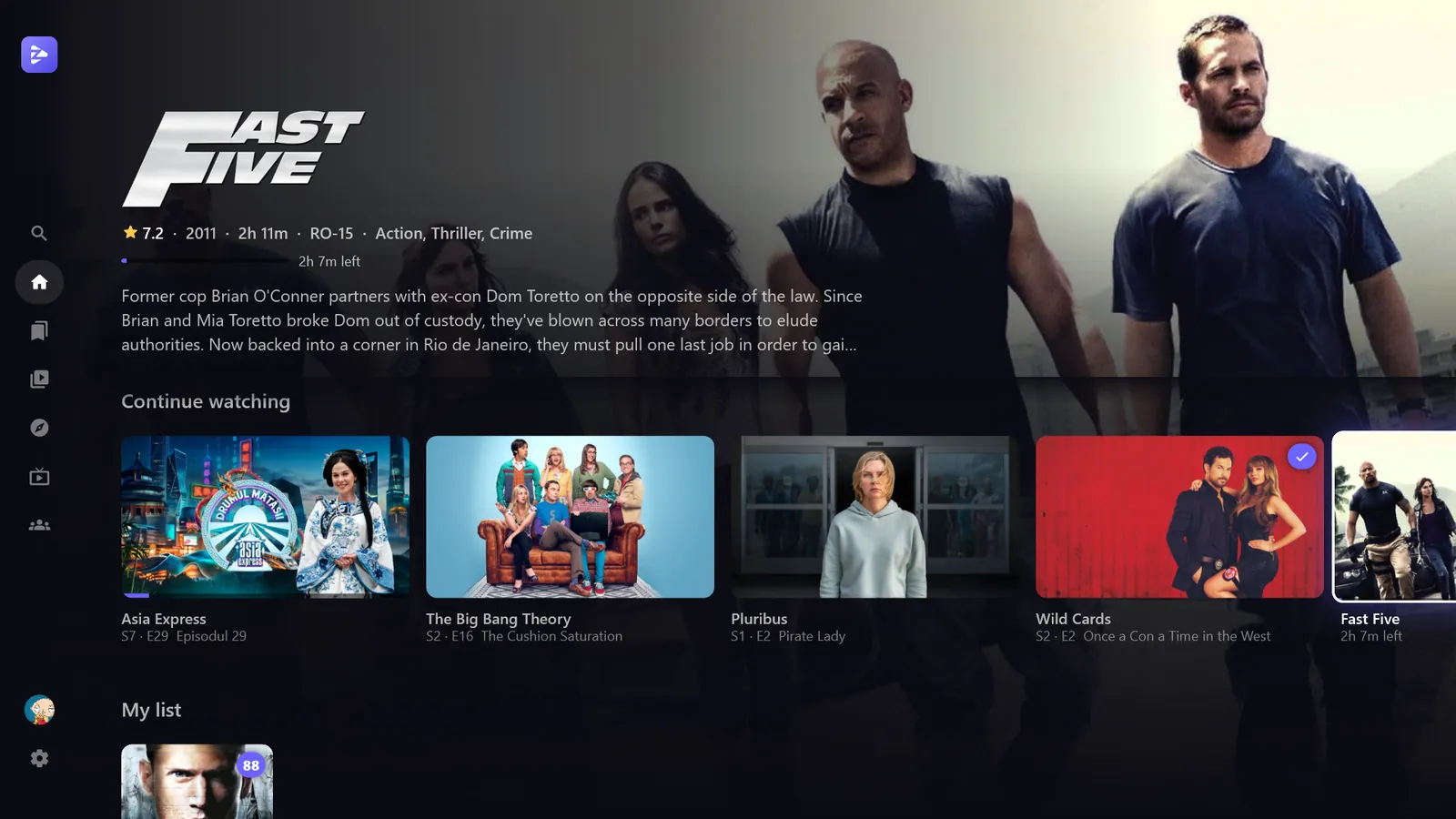
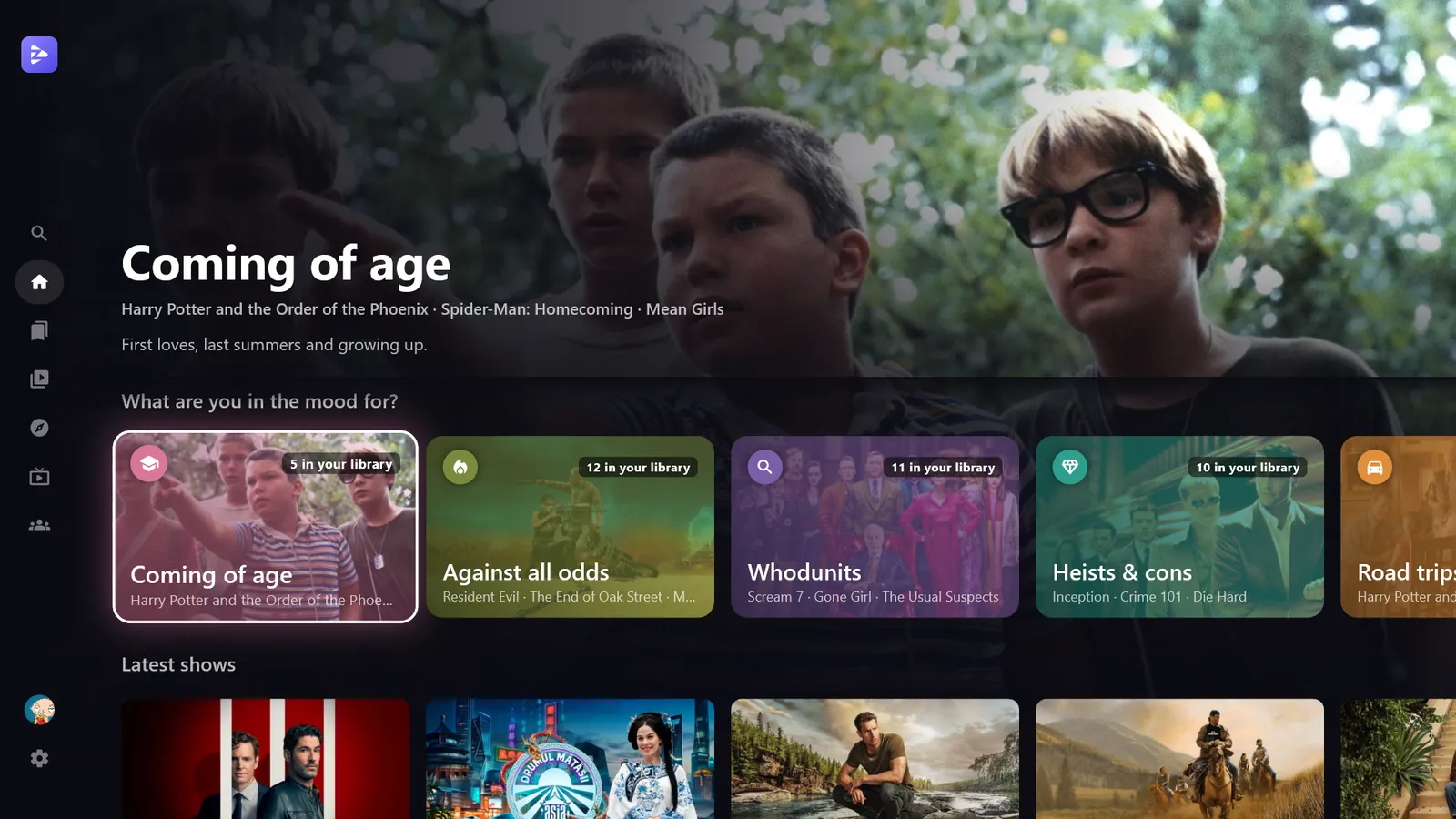
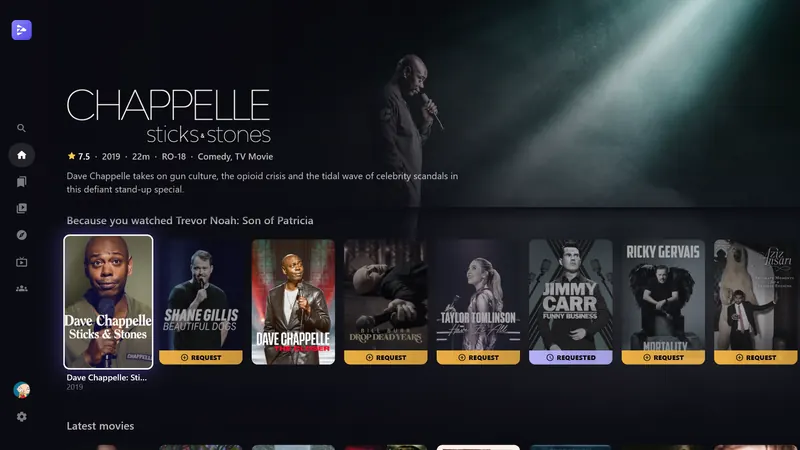
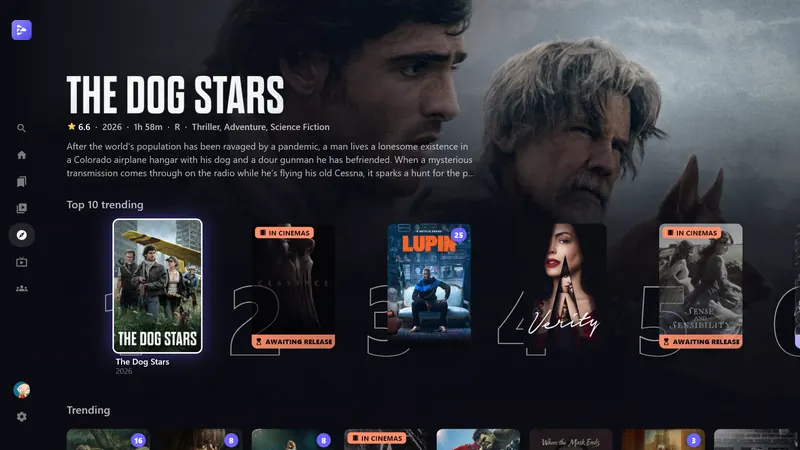
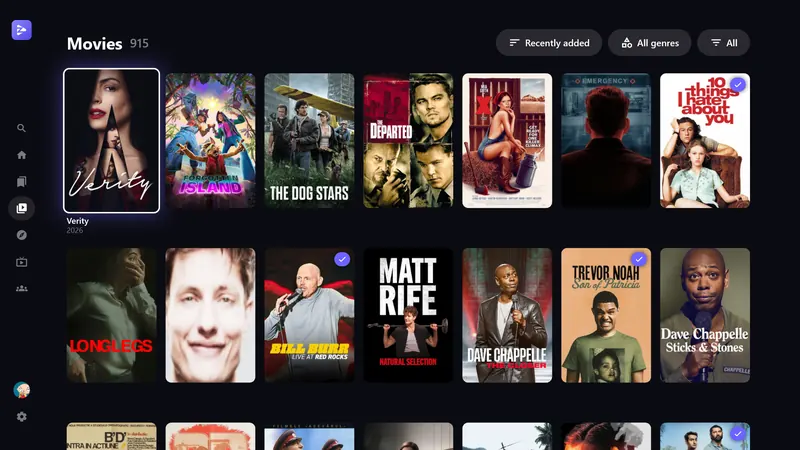
A home screen that knows what you like
Home is built from what you actually finish, not just whatever was added last.
- Because you watched… rows from your history
- What are you in the mood for? themes like Heists & cons or Against all odds
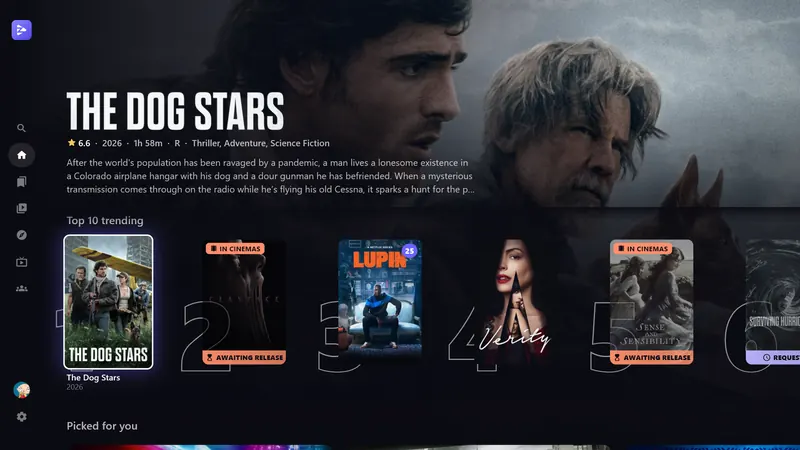
- A Top 10 trending row, plus Picked for you
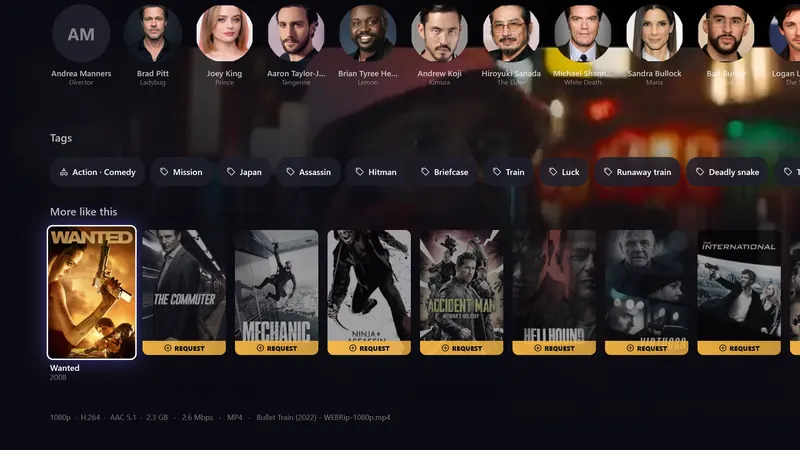
- Tags on every title, and More like this on every page
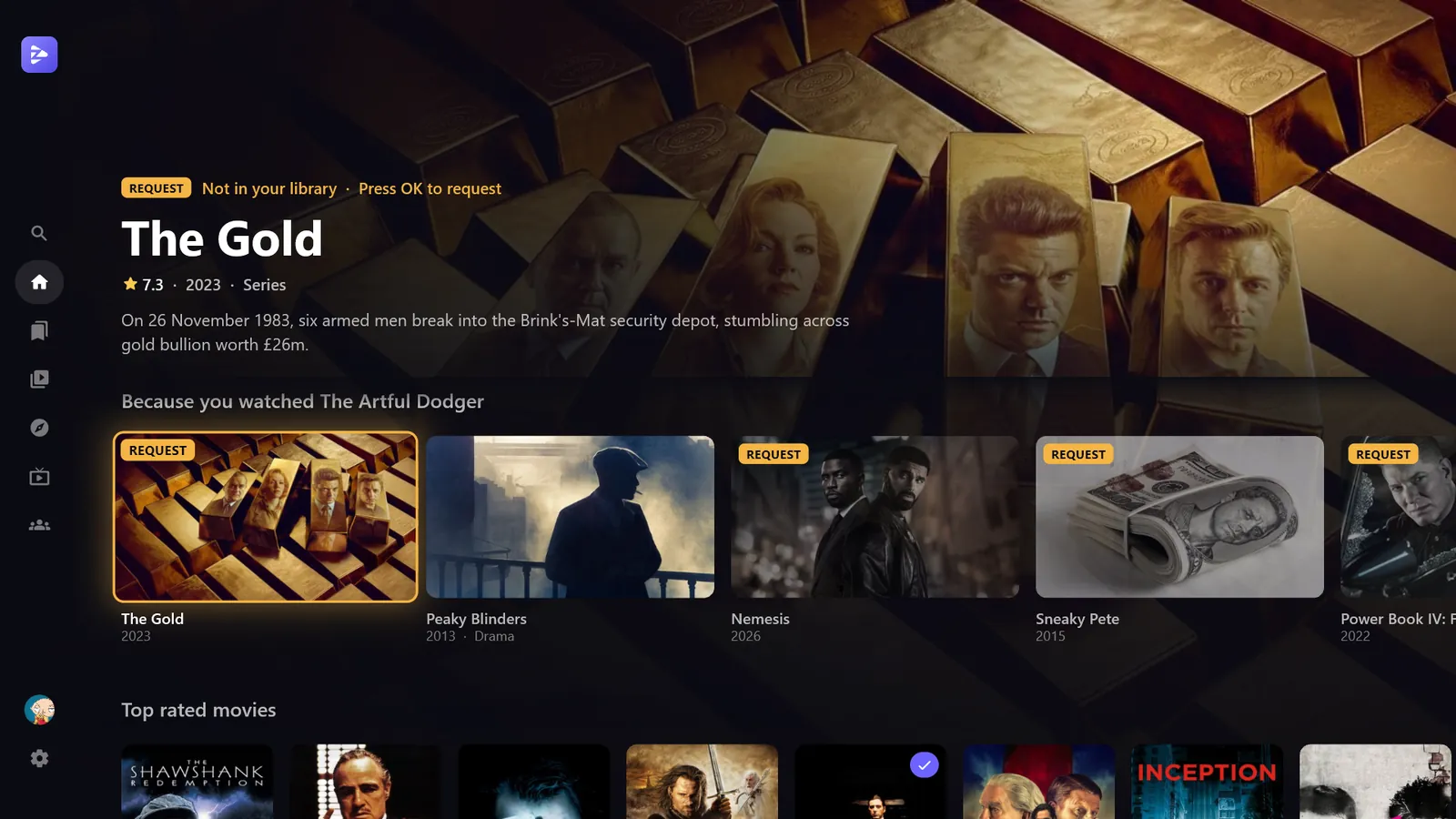
Not on the server yet? Request it from the same screen
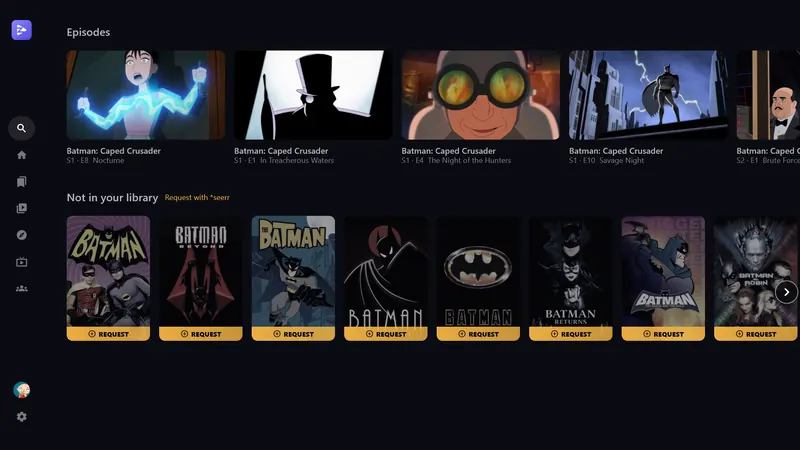
With Seerr connected, titles you don't have sit right next to the ones you do, in every row, in search and in Discover.
- A Request badge on anything missing
- Pick the seasons, watch the trailer, done
- Requested and Awaiting release badges and a release calendar
- Free: enter your Seerr address and API key in the app. With the dashboard, nobody needs the key
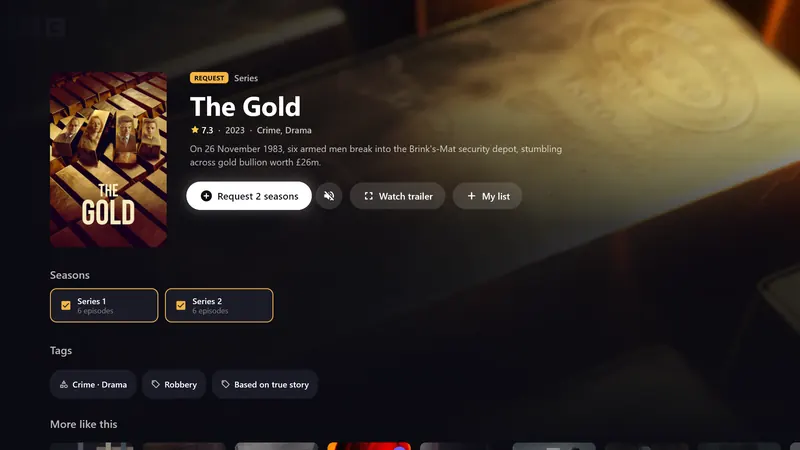
Trailers that play while you read
Open a title and its trailer starts behind the details, so you know what you're getting into before you press play.
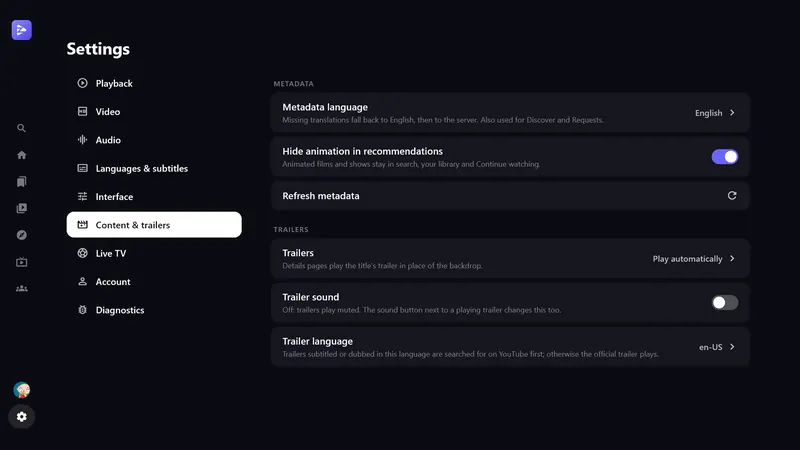
- Autoplay, on request, or off, with or without sound
- Trailer language follows yours when there's a dub
- Card previews on the PC as you move around
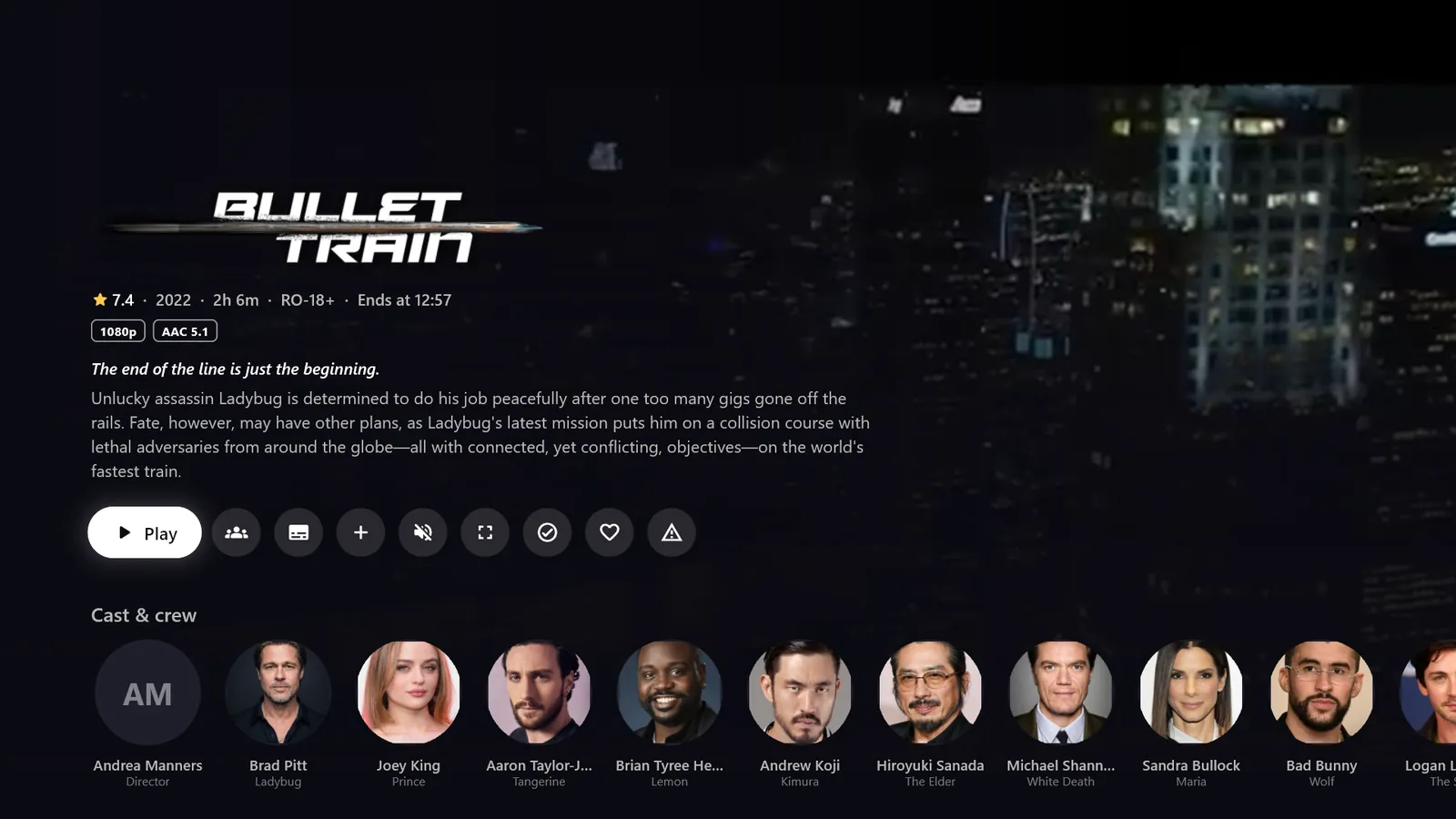
Made for the couch, fine on a desk
Real HDR on Windows
mpv with gpu-next, HDR switched on for HDR videos and off again after, and audio passthrough to your receiver.
Remote-first
Every screen works with a TV remote, a gamepad or a keyboard. On Android TV, a native Media3 player with an FFmpeg audio decoder.
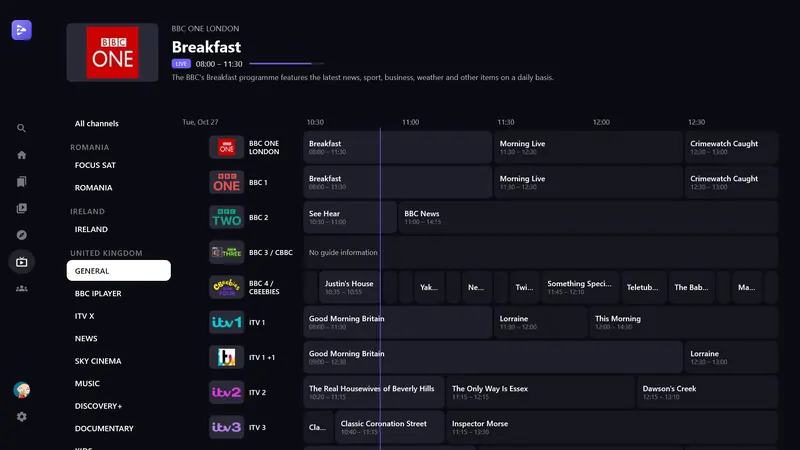
Live TV with a guide
Xtream or M3U playlists with a full programme guide. Enter them on the device, or let the dashboard send them to every device.
Smart subtitles
Your language, or only forced subtitles for foreign dialogue. Size, style and delay are all adjustable.
Pick your version
1080p or 2160p Dolby Vision? Choose once and the app remembers it. Skip intro manually or automatically.
Ratings and your language
IMDb, Rotten Tomatoes and Metacritic scores, with titles, descriptions and artwork in your language.
Have a look around
One dashboard for your server and everyone on it
Add your Emby or Jellyfin server, connect Seerr, TMDB, MDBList and live TV, and choose which features are on. Then hand out sync codes. Server admin covers users, libraries, transcoding, tasks, plugins and logs, so you rarely need the server's own dashboard.
- Your Seerr admin key stays on the hub. Apps never see it, and requests are made as each user.
- Every call is checked against your media server with the user's own sign-in.
- See which devices are linked, and turn a code off when you need to.
- Change a setting once and every app picks it up.
- Server admin signs in to your server from your browser; the hub never holds admin access.
Set up once. Share a code. Watch.
No API keys to copy around and no settings pages to explain to your family. You do the setup once; everyone else types a code.
The owner adds the server
In the dashboard: the Emby or Jellyfin address, Seerr, TMDB, MDBList and live TV. Each one is checked as you save it.
They share a sync code
One code for the whole family, or one per friend. Codes can expire, be limited to a few devices, or be turned off at any time.
You sign in and watch
Open Zerk Play, enter the code, then your own username and password. Everything else is already set up.
Movie night, even when you're not in the same room
Start a room, share its code, and everyone's player follows: play, pause and seek once for all. The room waits when someone is still loading.
- Works between Windows, Linux and Android TV
- Profiles with pictures, so you see who paused
- A personal My list for everyone on the server
FRY-428The app is free. The dashboard is one plan.
Every dashboard plan has everything. Monthly and yearly start with 7 days free; cancel any time.
| App onlyFree | App + dashboardFrom $5 a month | |
|---|---|---|
| Windows, Android TV and Linux apps | Yes | Yes |
| Discovery, trailers, ratings, subtitles, HDR | Yes | Yes |
| Setting up a device | On the device or by QR code, for each person | One sync code, then their own sign-in |
| Seerr requests | Each device needs the Seerr address and API key | No key on devices; made as each user |
| Live TV | Entered on each device | Sent to every device |
| Watch together | No | Yes |
| Profiles and My list | No | Yes |
| Report a problem (re-download a bad file) | No | Yes |
| Server admin for Emby and Jellyfin | No | Yes |
| Linked devices, turning codes off | No | Yes |
Only the person who runs the server needs a plan. Their users never pay. Prices in US dollars; payments by Stripe.
Get the free app
No account needed. Installed copies update themselves. Have a sync code? Pick "Sync code" when you sign in.
Windows
Windows 10 and 11, 64-bit. HDR, passthrough, gamepad and keyboard.
Download installer .exeAndroid TV
Google TV, Chromecast, Shield and other Android TV boxes. Sideload the APK.
Download APK .apkLinux
x64, Wayland and X11, VA-API or NVDEC. Also on the AUR as zerk-play-bin.
All releases and changelogs are on GitHub.
Questions
Do I need the dashboard or a sync code?
No. The app is complete without them: choose "Set up manually" and enter your server address, or scan the QR code with your phone to fill everything in. The dashboard is for server owners who want to set everyone up with one code and add Watch together, profiles and requests without sharing an API key.
What does the hub see?
Your video never goes through it: the app streams straight from your media server. The hub relays Seerr requests, Watch together messages and profile pictures, and checks each call against your media server with your own sign-in. Your password goes only to your media server.
Which keys do apps get?
The media server address, the TMDB and MDBList keys and the live TV logins are sent to linked apps, because the app calls those services itself. The Seerr API key never leaves the hub.
My Seerr requests say my account isn't linked
Seerr makes requests as the Seerr user linked to your Emby or Jellyfin account. Ask the server owner to import you in Seerr (Users → Import from Jellyfin/Emby).
Does my server need to be reachable from the internet?
For the hub, yes: it checks sign-ins against your media server and talks to Seerr. Both need public HTTPS addresses (a reverse proxy or a tunnel is fine). The apps themselves can still use the server at home as usual.
How much does it cost?
The app is free and open source on GitHub. The dashboard is $5 a month, $40 a year or $150 once, with 7 days free on monthly and yearly. Only the server owner pays; their users don't.
What happens if the dashboard plan ends?
The app keeps working. Sync codes stop linking, and Watch together, profiles and requests through the hub switch off for that server, so people set their app up by hand or by QR code again. Pick a plan again to switch everything back on.